Showing posts with label chrome. Show all posts

Monday, March 19, 2012

Google Chrome Multiple Login Users

Google Chrome allows multiple google accounts login, by which you can separate your personal work and business work, helps in managing book marks, history, saved login credentials. Another usage of this multiple user sign is we can sign into different gmail accounts simultaneously without affecting each other even if other account is logged out. Setting up multiple login and manage users is very easy all you need is to follow these steps :
1. Open Google Chrome if you hadn't opened.
2. To the right side of the window beneath address bar there is text displayed Not Signed into Chrome (You're missing out Sign in)click on "sign in"
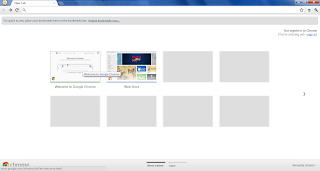
default chrome browser layout
3. On clicking opens a new website where you need to enter your google account username and password.
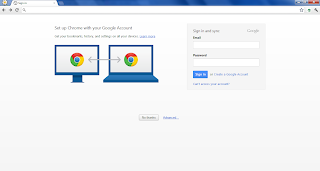
Chrome login
4. After signing into your google accounts successfully you can see your login email id right beneath address bar and now you can surf sites as usual.
5.Already saved bookmarks and history will be imported automatically along with saved user login credentials of different websites if it was previously enabled
6. 3 chrome login looks like this
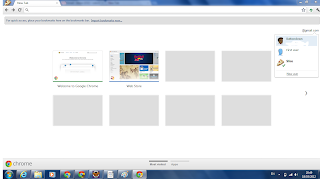
Multiple logins in chrome (here 3)
You can also delete any account whenever you want.

Sunday, February 26, 2012

Unable to browse internet in chrome/firefox

We might be unable to browse internet in Google Chrome, Mozilla Firefox or other browser but in Internet Explorer you can browse it sometimes a strange problem like this also occurs. At the time after trying all the suggestions displayed on the browser also will not solve this one, this doesn't mean that a virus had been affected to your system and system formatting or system restore is not necessary.All you need to do is change check firewall settings of your antivirus if its installed. Turn it off and check whether you are able to browse internet this will solve your problem , after this change your antivirus firewall settings to default and turn it on.now you must be able to browse internet in other browser too.

Thursday, November 24, 2011

How to create Google Chrome Themes

We can create themes for Google Chrome Web browser on our own and there is no need of any software. All we need is few pics in jpeg or png format, after collecting few pics click on this link.
Once you go to that link you have 3 main labels start,images , color and tint. Firstly click on start label and enter details about theme you are about to create.Now click on Images tab where is we have many different options, this link is a userfriendly if we have any doubts about where a particular option represents to in a web browser to know it click on the option and a preview is available to the right of it.Finally click on start label and click on your appropriate option like click and install theme etc and its done

A small and sample created by me I know it doesn't look nice but it may be a reference for you.

Sunday, February 6, 2011

New search trick in Chrome

As far as I had observed using Chrome is best these days.When we want to google something instead of typing google.co.xy (xy varies depending upon country in india its in) and then entering the keyword and then searching we can simply press tab button on the keyboard while entering google.co.xy and enter the keyword which we want to google.

Here is the screenshot of it